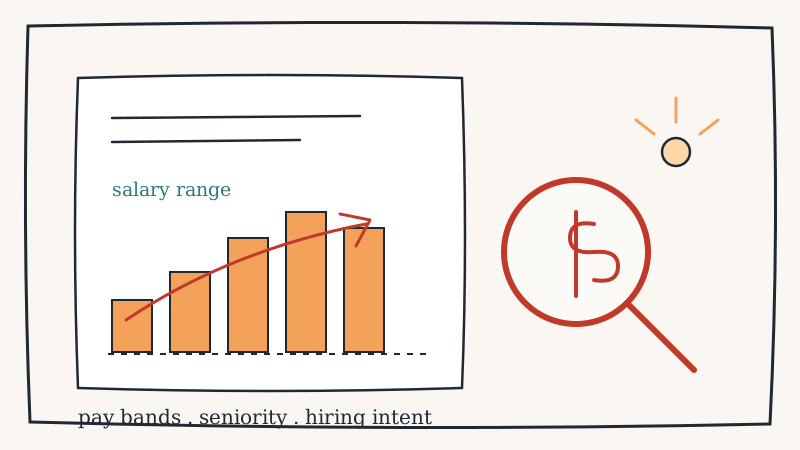
Most teams read a competitor’s job postings for one thing: the job titles. New head of partnerships, three backend engineers, a first RevOps hire. Useful, but you are leaving the richest field on the page unread. Since pay transparency laws rolled out across California, New York, Colorado, Washington, and a growing list of states and countries, competitors are now legally required to publish a salary range on most postings. That range is not fluff. It is a dated, public number that tells you exactly how much a rival is willing to spend on a specific capability, and how senior they need that capability to be.
A job title tells you what a competitor wants to build. The salary band tells you how serious they are about it. A “senior product manager” role posted at the top of the market is a very different signal from the same title posted at the bottom. Read enough of these bands in sequence and you stop guessing at a competitor’s strategy and start reading it off the page.
Why salary bands leak more than titles
Titles are marketing. A company can call a role anything it wants, and often inflates or vagues up the title to attract applicants. The salary range is different, because it is constrained by three things a competitor cannot easily fake: their actual budget, the local market rate for that skill, and the internal equity of what they already pay their current team. That makes the number honest in a way the title is not.
Three things a salary band reveals that a title alone hides:
- Seniority they actually need. A range topping out well above market for a given title means they need someone senior enough to lead, not just execute. That signals a new function being stood up, not a backfill.
- Budget conviction. A wide, aggressive band on a strategic role means the money is approved and the mandate is real. A thin, below-market band means the role is speculative or a nice-to-have.
- Where the money is flowing. Compare the bands across a competitor’s open roles and you can see which team is being paid to win. If their AI engineers are posted 40 percent above their sales engineers, you know where the roadmap budget lives.
None of this requires insider access. The ranges are published on the competitor’s own careers page and mirrored across job boards. The hard part is not reading one posting. It is noticing the day the bands shift and reading them as a group.
The signals worth watching, and what they mean
A single salary range is a data point. The strategy shows up when you track how the bands move over time and how they compare across roles. Here are the patterns worth setting an alert on.
A band jumps above their own historical range
When a competitor reposts a role they have hired for before, but at a materially higher band, something changed. Either the market got hot for that skill, or they lost a bidding war and decided to pay up, or the mandate for that role got bigger. A backend range that climbs two brackets in a quarter usually means they are done experimenting and are now scaling the thing that role supports.
If you only monitor one movement, monitor this one. Continuous tracking through a tool like CAM means the repost shows up in your feed the day the band changes, not the quarter you happen to revisit their careers page.
A senior role appears in a function that was previously junior
A competitor that has only ever posted “sales development representative” roles suddenly posts a “VP of Sales” band at the top of the market. That is a step change. They are not adding another rep, they are building a go-to-market engine and just approved the budget to lead it. For your sales team, that is a warning that the competitive pressure in your deals is about to intensify, and you have a few months of head start to prepare the counter-narrative.
Bands widen across an entire team at once
One high band is a single hire. Five roles in the same function, all posted at aggressive ranges in the same window, is a build-out. When a competitor’s engineering bands all jump together, they closed funding or reallocated budget, and a product push is coming. This maps neatly onto other signals you may already be watching, like competitor hiring patterns that predict product roadmap moves.
Bands quietly shrink or roles get downgraded
The reverse is just as telling. When a competitor reposts previously senior roles at lower bands, or replaces director-level postings with manager-level ones, the budget got tight. That is a churn-risk and win-back signal. A rival trimming compensation is a rival under pressure, which is exactly when their customers start shopping and exactly when your sales team should be reaching out.
How to actually track this without a spreadsheet
The manual version of this is painful. Someone opens the competitor’s careers page every week, copies each range into a sheet, and tries to remember what the numbers were last month. It falls apart within two cycles, because the interesting change is a band moving from one bracket to the next, and nobody remembers the old number well enough to catch it.
The reliable approach is to monitor the careers page and the job-board mirrors for changes, and get alerted when a range moves. A page-level change monitor watches the exact URLs where the bands live and pings you when the numbers shift. Here is a workflow that holds up:
- List the source URLs. The competitor’s own careers page is the ground truth, because it is where they publish the legally required range first. Add the job-board listings (LinkedIn, the ones that surface ranges) as secondary confirmation.
- Watch for value changes, not new posts. New postings are easy to spot. The signal you want is a reposted role at a different band, so track the content of the range field, not just the presence of a listing.
- Group the alerts by function. A single band change is noise. Three in the same team is a pattern. Route the alerts so you can see them clustered, not one at a time.
- Log the date every band changes. The sequence is the story. A dated record of when each range moved lets you line the changes up against their launches and funding events after the fact.
Setting this up once with CAM turns a recurring manual chore into a passive feed. The tool watches the careers page and job listings, filters out cosmetic edits and reposts that do not change the numbers, and only surfaces the band movements that actually mean something.
Turning band movements into action
Reading the signal is only half the value. The point is to do something with the head start before the competitor’s move becomes obvious to everyone.
- Feed it to sales. When a competitor staffs up an enterprise sales function at top-of-market bands, brief your reps that deals against that rival are about to get more aggressive. Pair it with the LinkedIn side of the picture: watch real-time competitor LinkedIn alerts to catch the actual hires landing.
- Feed it to recruiting. If a rival is posting bands well above yours for the same roles, your own offers are about to start losing. That is a signal to revisit your comp before you lose a candidate, not after.
- Feed it to product and strategy. A cluster of aggressive engineering bands is an early read on where a competitor’s roadmap budget is going. Combine it with other early-warning signals so you are not reacting to a launch, you are anticipating it.
None of these plays require you to guess. The salary band is a number the competitor published themselves, on the day they decided to spend the money. Sometimes the most honest thing a company will ever tell you about its strategy is how much it is willing to pay for the next person it hires.
If you want the same kind of dated, structured feed for the outreach side of the funnel, tools like Kali handle competitor and prospect signals on the sales-motion end while CAM watches the pages themselves. Wire the two together and the competitor’s own hiring budget becomes one of the earliest signals you have that their strategy is about to change.