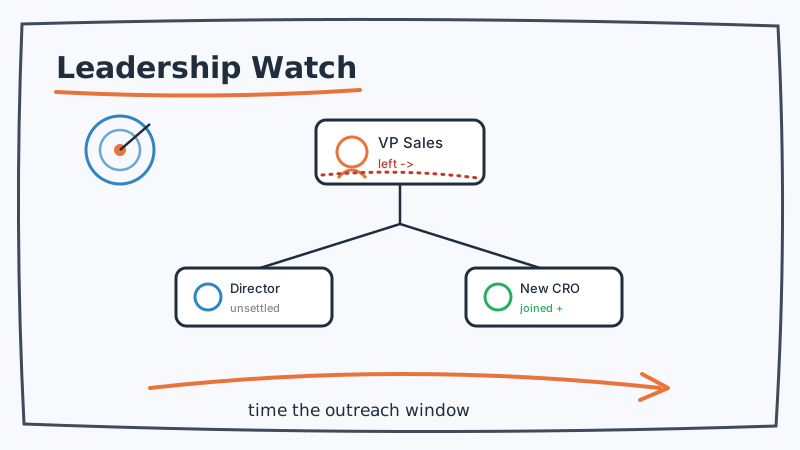
Most competitive intelligence focuses on the product: new features, pricing pages, changelogs. But some of the most actionable signals in B2B have nothing to do with the product at all. They have to do with the people running it.
When a competitor loses their VP of Sales, promotes a new CRO, or watches three account executives leave in the same month, something is shifting underneath the surface. Relationships fray. Renewals get shaky. Strategy gets rewritten. And for a few weeks, their customers are more open to a conversation than they will be at any other time in the year.
The companies that win those accounts are the ones who notice the change first. This post covers why leadership changes matter, which roles to watch, and how to build a monitoring system that turns an executive departure into a timed sales play.
Why Leadership Changes Are a Buying Signal
A leadership change at a competitor disrupts the one thing that keeps customers from switching: the relationship.
Think about what holds a renewal together. It is rarely just the product. It is the account manager who knows your business, the VP who took your escalation seriously, the success team that has earned your trust over two years. When those people leave, that trust does not transfer automatically. The new contact has to earn it again from zero, and the customer quietly starts wondering whether they should be re-evaluating their options.
Here is what different leadership changes tend to signal:
- A departing VP of Sales or CRO often means quota pressure, a strategy reset, or internal turmoil. Their accounts are now being reassigned to reps who do not have the history.
- A new CRO or CEO almost always brings a repricing, repackaging, or repositioning within their first two quarters. Existing customers may face surprise price increases or product changes.
- A wave of account executive or customer success departures is the clearest churn signal of all. It usually means the company is struggling, and the customers those reps managed are now orphaned.
- A new VP of Product or Engineering can foreshadow a roadmap pivot that may abandon features your prospect depends on.
None of these guarantee a customer will switch. But each one opens a window where the cost of having a conversation with you drops dramatically. Your job is to be in the room while the window is open.
Which Roles and Signals to Track
You cannot watch everyone, and you should not try. Focus your monitoring on the roles whose departure or arrival actually moves a deal.
Revenue leadership. VP of Sales, CRO, Chief Commercial Officer. A change here ripples directly into how a competitor’s accounts are managed and how aggressively they defend renewals.
Customer-facing teams. Account executives, customer success managers, and account managers at your target competitors. When several leave in a short window, their book of business is exposed. This is the single highest-intent signal for outbound.
Executive leadership. CEO and founder transitions signal strategic uncertainty. A new CEO will reshape priorities, and the months of internal focus that follow are months they are not spending defending the base.
Product leadership. VP of Product or Engineering changes hint at roadmap risk. If your prospect chose the competitor for a specific capability, a product leadership change is a reason to check in.
The signals themselves show up in predictable places: LinkedIn job-change updates and new-role announcements, the competitor’s own team or about page quietly dropping a name, press releases announcing executive appointments, and the steady churn of profiles that list the competitor as a “past” employer. The trick is catching them as a feed rather than discovering them by accident three months later.
Building a Leadership Monitoring System
The manual version of this, checking LinkedIn every Monday and reading every press release, does not scale past one or two competitors. You need a system that watches continuously and tells you only when something changed.
Step 1: Build your watch list
List your top five to ten competitors. For each, identify the specific roles and, where possible, the specific people who matter most: the current revenue leader, the named executives on their team page, and the customer-facing roles you most often compete against. Public LinkedIn data and a competitor’s own about and careers pages give you almost everything you need to seed this list.
Step 2: Monitor the pages that reveal change
A competitor’s team page, about page, and leadership section are surprisingly honest. When someone leaves, their bio quietly disappears. When someone joins, a new card appears. Automated website change monitoring catches these edits the day they happen, without anyone on your team remembering to look. This is exactly what CAM is built for: it watches the specific pages that carry leadership signals and alerts you the moment the content changes, filtering out the formatting noise so you only hear about the edits that matter.
Step 3: Add the LinkedIn and news layer
Team pages tell you about the named executives. LinkedIn and news monitoring fill in the rest: the account executives changing their headlines, the press releases announcing a new CRO, the founder posting a farewell note. Pair your page monitoring with structured tracking of public LinkedIn activity and competitor news so you see both the official changes and the on-the-ground churn. CAM’s website and competitor monitoring brings these sources into one alert stream so a leadership change does not depend on a rep happening to scroll past it.
Step 4: Route the signal to a play
A signal that lands in an inbox and dies there is worthless. Decide in advance what happens when a given signal fires:
- Competitor loses a revenue leader, notify the reps who own deals against that competitor and prompt a check-in with at-risk prospects.
- A wave of account executive departures, trigger a targeted outbound sequence to that competitor’s customer segment.
- A new CEO or CRO announced, prepare a “things may be changing over there, worth a conversation” angle for accounts in your pipeline who currently use them.
Step 5: Reach out while the window is open
Timing is the entire point. A leadership change creates a window measured in weeks, not months, before the new structure settles and relationships re-form. When the signal fires, the follow-up has to be fast and personal. Booking the conversation while the prospect is still unsettled is where deals are actually won, and tools like Kali help your team turn a fresh signal into a booked meeting before a competitor’s new leadership has had time to lock the account back down.
What Good Outreach Looks Like
The worst thing you can do with this intelligence is be obvious about it. “I saw your VP of Sales just left” is creepy and puts the prospect on the defensive.
The right move is to use the signal as timing, not as the message. You know this is a moment of openness, so you reach out with a genuinely useful reason to talk: a relevant insight, a benchmark, an offer to compare notes on how teams in their situation are thinking about the category. The leadership change tells you when to reach out. The value you bring is why they respond.
Keep the data clean, too. If you are about to run outbound into a competitor’s customer base, validate the list first so your timing-sensitive outreach actually lands instead of bouncing. Running contacts through Scrubby before a time-critical sequence protects your deliverability at exactly the moment a bounce would cost you the window.
The Takeaway
Product features and pricing are the competitive signals everyone watches. Leadership changes are the ones that quietly decide which accounts are in play. A departing revenue leader, a wave of customer-facing churn, or a brand-new CRO each opens a short window where a competitor’s customers are more reachable than usual.
Catch those changes as they happen, route each one to a specific play, and move while the window is open. The intelligence is sitting in plain sight on team pages, LinkedIn, and press releases. The advantage goes to whoever builds the system to notice first.