If you have searched for a way to watch a competitor’s website for changes, you have almost certainly found Visualping. It is one of the most popular page change detectors on the market: point it at a URL, pick an area of the page, and get an email when something on that area changes. It is fast to set up and genuinely useful for narrow jobs like watching a single pricing table or a job listing.
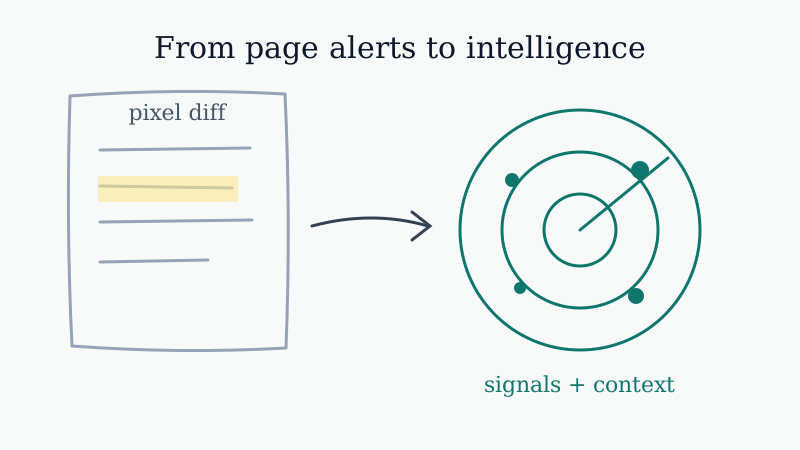
The problem shows up when you try to use a page watcher as a competitive intelligence system. Knowing that pixels moved on a page is not the same as knowing what your competitor is doing, why it matters, and what your sales and marketing teams should do about it. That gap is exactly where a purpose built tool like CAM fits.
This post breaks down what Visualping does well, where it runs out of room, and how to decide which tool matches the job you actually have.
What Visualping Does Well
Visualping earned its popularity for good reasons:
- Visual selection. You can draw a box around part of a page and only get alerted when that region changes. That precision is great for ignoring footers, cookie banners, and rotating hero images.
- Low setup cost. Anyone can add a URL in under a minute. No analyst required.
- Broad coverage. It works on almost any public page, including ones that do not have an RSS feed or an API.
- Simple alerts. Email and webhook notifications are easy to wire into a basic workflow.
If your need is genuinely narrow, watch this one page and tell me when it changes, Visualping does that job cleanly. There is no reason to over engineer a single-page watch.
Where a Page Watcher Runs Out of Room
The friction begins the moment your job grows past one or two pages. Competitive intelligence is rarely about a single URL. A competitor reveals their strategy across pricing pages, changelogs, careers pages, customer logos, status pages, leadership bios, and social activity all at once. Watching each of those as a separate pixel diff creates three recurring problems.
1. Noise instead of signal
Page watchers fire on any visual change inside the region you selected. A reworded headline, a swapped testimonial photo, or a new banner all trigger the same alert as a real pricing change. Over a few weeks you learn to ignore the notifications, which defeats the purpose. The job you actually wanted was not “tell me the page changed.” It was “tell me when something strategic happened.” Detecting the difference between cosmetic edits and meaningful moves is the hard part, and raw page diffing does not do it.
2. No interpretation
Even when a page watcher catches a real change, it hands you a before-and-after image and stops there. You still have to open the page, figure out what shifted, decide whether it matters, and translate it into something a sales rep or a product manager can use. Multiply that by ten competitors and twenty watched pages and you have a part-time job nobody owns. The value of competitive intelligence is in the interpretation, and a screenshot diff leaves all of that to you.
3. One page at a time
Strategy lives in patterns across pages, not in a single diff. A competitor that quietly adds an enterprise security page, posts three senior sales roles, and updates their pricing in the same month is telling you they are moving upmarket. No single page change reveals that. You only see it when the signals are gathered, categorized, and read together. A tool built around isolated URL watches cannot connect those dots for you.
How CAM Approaches the Same Problem
CAM starts from the competitive intelligence job rather than the page diff. Instead of asking you to select regions on individual URLs, it monitors the parts of a competitor’s footprint that actually signal strategy and then organizes what it finds.
- Signal categories, not raw diffs. CAM groups changes into meaningful buckets like pricing, hiring, product and changelog updates, positioning, and customer activity. You see what kind of move happened, not just that some pixels changed.
- Context with the change. Alerts arrive framed around why the change matters and what it suggests, so the output is closer to a brief than a screenshot.
- Multiple competitors in one view. You track a set of competitors together and watch patterns build over time instead of babysitting a list of URLs.
- Built for go to market teams. The output is shaped for the people who act on it: sales reps prepping a call, product marketers updating battlecards, founders watching the market.
The short version: Visualping tells you a page changed. CAM is built to tell you what your competitor is doing.
A Simple Way to Choose
Use this test. If you can write your need as a single sentence about one page, “alert me when this specific page changes,” a page watcher is a reasonable and cheap fit. If your need is really “help me understand what my competitors are doing and what we should do about it,” you are describing a competitive intelligence problem, and a dedicated tool will save you the manual interpretation work every week.
Many teams actually start with a page watcher, hit the noise and interpretation wall within a month, and then graduate to a purpose built monitor. There is nothing wrong with that path. The mistake is staying on a single-page tool long after the job has grown into full competitive intelligence.
From Signal to Action
The reason any of this matters is what happens after the alert. A competitive signal is only valuable if it changes what your team does next. When CAM surfaces that a competitor just raised prices or lost a marquee customer, that is a cue to move: update your battlecard, brief your reps, and reach out to the accounts in play.
That last step is where monitoring connects to revenue. Once you know a competitor stumbled or shifted, timely outreach turns the insight into pipeline, and a tool like Kali helps you book those competitive displacement conversations while the signal is still fresh. Monitoring finds the opening; outreach captures it. A page watcher leaves you stranded at the screenshot, while a competitive intelligence workflow carries the signal all the way to a booked meeting.
The Bottom Line
Visualping is a good page change detector and a fine choice when the job is genuinely one or two URLs. It becomes a poor fit the moment you ask it to do competitive intelligence, because watching pixels is not the same as understanding strategy. If you find yourself drowning in low value change alerts, manually interpreting every diff, or trying to stitch a story together across a dozen pages, that is the signal to move to a tool built for the job.
See how CAM turns competitor changes into organized, contextual intelligence your whole team can act on.